> textfox.init()
Your phone texts for you. All day.
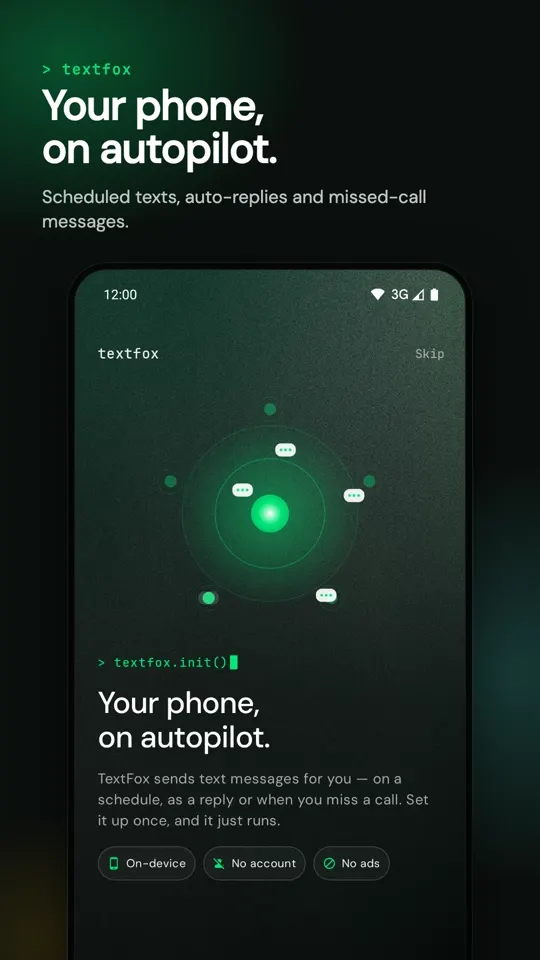
TextFox is an Android app that sends text messages automatically: on a schedule, as a reply to a text, or when you miss a call. Set it up once and it just runs, right on your phone.
23:00 · end of day
Five texts sent. You typed none.
That was one ordinary day with TextFox.
for you
typed
// what just happened
One day. Five texts. You typed none.
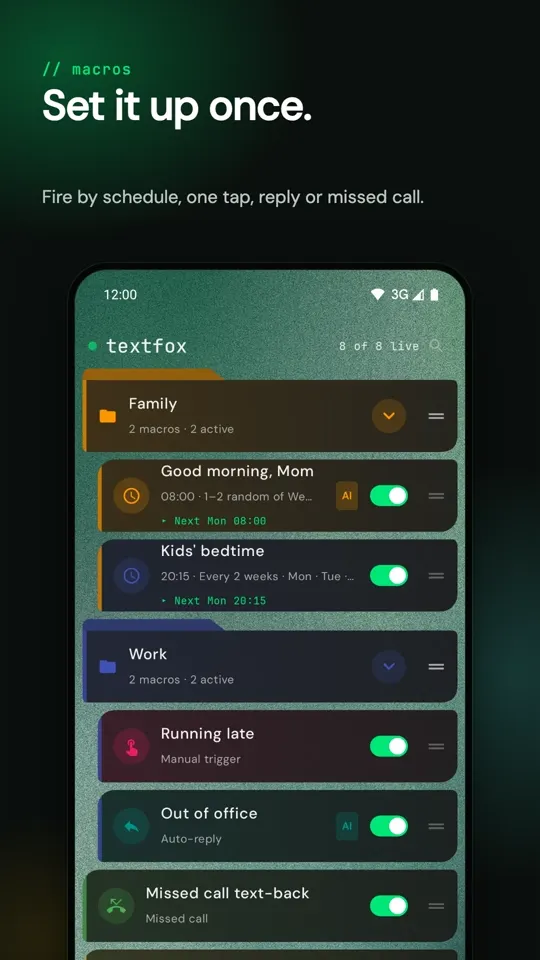
Every TextFox macro is a trigger plus an action. These are the four ways a macro can fire.
On a schedule
Pick a time, the weekdays, every 1–4 weeks, one date, or 1–2 random days. TextFox sends on the minute, even after a restart.
08:00 · Mon–Fri → MomScheduled texts →
With one tap
Put any macro on your home screen as a widget. Tap it and a ready-made text goes to everyone on the list.
widget → "Running late"As a reply
When a text arrives from a chosen sender or with a keyword, TextFox answers it. Quiet hours hold replies until morning.
text contains "meeting" → replyAuto-reply →
After a missed call
Couldn't pick up? The caller gets a text a few seconds later. Declined calls count too.
missed call → text backMissed-call text-back →
A macro can also change sound modeshow a remindercall a web address (Home Assistant, IFTTT)
// set up in a minute
Set it up once. Then forget it.
- Create a macro
Name it, write the message and pick one or more recipients. Insert the date, the weekday or each recipient's name, so every copy feels personal.
- Choose when it fires
A time and weekdays, a tap on a widget, an incoming text with a keyword, or a missed call.
- Allow it once
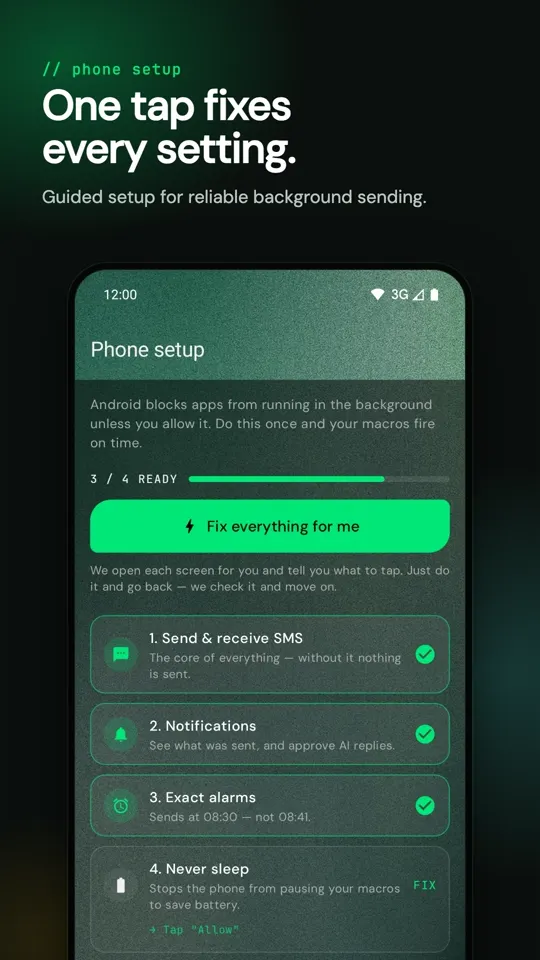
A guided phone setup turns on SMS, notifications, exact alarms and battery access with one tap per step, including on Xiaomi, Redmi and POCO phones.
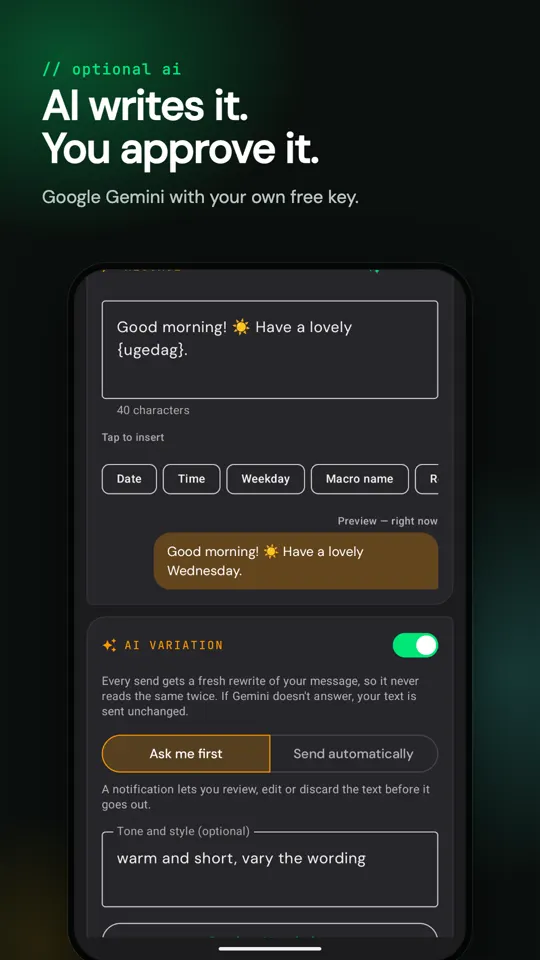
A notification lets you review, edit or discard the text before it goes out.
// optional ai
AI writes it. You approve it.
Turn on AI variation and Google Gemini rewrites a scheduled text every time it goes out, so it never reads the same twice. Auto-replies can be written by AI as well, and AI compose suggests a new message from a short description.
- Uses your own free Google Gemini key. AI stays off until you add one.
- If Gemini doesn't answer, your original text is sent unchanged.
- Report any AI text that's wrong or offensive, right from the log.
// log
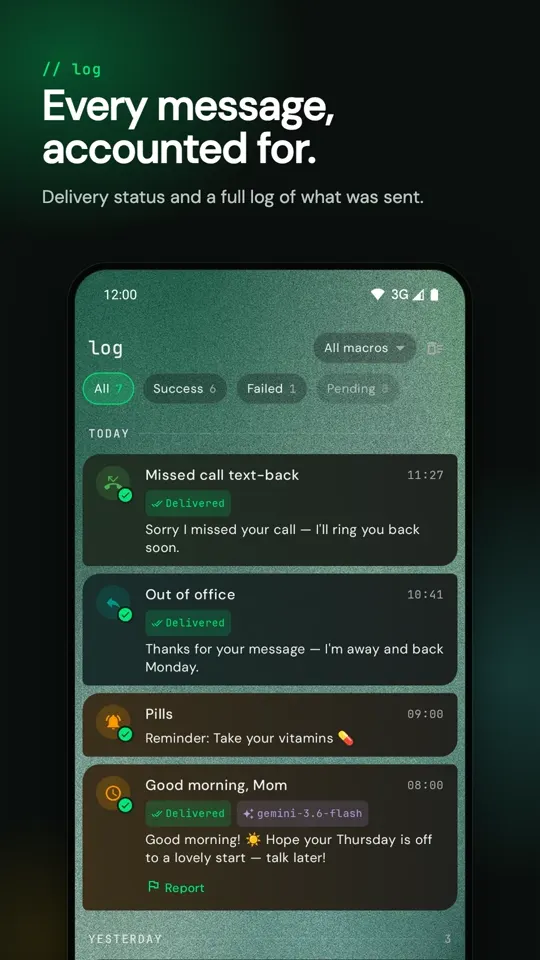
Every message, accounted for.
Fires on the minute
Exact alarms with a backup scheduler. Macros keep running after a restart, an app update or a night in battery saver.
Delivered ✓✓
When your carrier confirms delivery, the log says so. If the network drops a message, you get a notification with one-tap retry.
Polite at night
Texts that arrive during quiet hours are answered when they end: one reply per person, to their latest message.
// privacy
Your phone. Your data.
TextFox runs on your phone. There is no account, no ads and no analytics, and your macros, contacts and messages never reach us. Text only leaves your phone in three cases you set up yourself:
// faq
Questions, answered.
What is TextFox?
TextFox is a free Android app that sends text messages (SMS) for you automatically. You create a macro, which is a trigger plus a message, and TextFox sends it on a schedule, as a reply to an incoming text, after a missed call, or when you tap a home-screen widget.
Is TextFox free?
Yes. TextFox is free, with no ads and no subscription. The optional AI features use your own free Google Gemini API key. Texts are sent through your normal mobile plan, so your carrier's usual SMS rates apply.
Do I need an account?
No. There is no sign-up and no login. Install the app, allow the permissions the guided setup asks for, and create your first macro.
Does TextFox work on iPhone?
No. TextFox is for Android 8.0 and newer. iPhones don't allow apps to send text messages automatically in the background.
Can TextFox reply to WhatsApp messages?
No. TextFox sends and replies to regular SMS text messages only.
Will scheduled texts still go out if my phone restarts or is asleep?
Yes. TextFox uses Android's exact alarms with a backup scheduler, and re-arms every macro after a restart or an app update. The guided setup asks you to allow exact alarms and to exclude TextFox from battery optimisation, which Android needs for reliable background sending.
What does the AI do, and what is sent to Google?
AI is optional and off until you add your own Gemini key. It can rewrite scheduled texts so they never read the same twice, write auto-replies and suggest new messages. Only the message text and your optional instruction are sent, directly from your phone to Google's Gemini API. Phone numbers and contact names are not sent.
Can one macro text several people?
Yes. A macro can have many recipients, and each copy can include that person's contact name.
Set it up once.
It just runs.
Free on Google Play for Android 8.0 and newer. Everything runs on your phone: no account, no ads, no tracking. AI is optional and uses your own free Google Gemini key.
Early access on Google Play · Free · Android 8.0+